Whitelists
"Whitelist" is a phrase you'll see around. For ONB, it refers to a list of allowed mods for a server. Servers impose these lists to curate their content for a few reasons:
- To make sure nobody can steamroll their enemies
- To make sure PvP players are on equal ground
- To spice up PvP by imposing limitations on builds, more like the BN games
- To force a particular "power level" they want players to approach their content with
If you think about servers as games, then whitelists are all of the chips, NaviCust parts, and playable characters in the game.
This might feel against the openness of ONB, and it can be a shame to be unable to use your own player mod you've drawn and/or programmed, but hopefully you can understand some of these reasons a whitelist might exist.
There are made by server owners, so two servers might have different lists, and some don't have any at all.
A Recommendation
As of now, it's strongly recommended to have a separate copy of ONB to use to play with a given server's whitelist. This makes it easy to:
- Update your mods when the whitelist updates
- Avoid mixing allowed and disallowed mods (huge hassle)
ONB itself is pretty small, so this is hopefully no issue. Remember to copy
whatever files might be helpful to keep, in this case especially your config.ini
so you don't need to redo your controls.
But I Want to Use My Mod Anyway
Server owners are people, too, and you can try to get in touch with them in the community Discord server. Some of them might be willing to consider compromising with you, depending on their reasoning for having a whitelist.
For example, with a server that aims for low power level, maybe they'll allow your mod if you weaken it. But maybe they're deads et on having exactly 10 allowed Player mods, or 200 allowed chip mods, and they won't budge.
It's a change they have to make manually, though, so understand if it takes a while.
Disallowed Mods
If you do enter a server with mods that aren't allowed, you'll see one of a few things.
Bad Player Mod
Registering a whitelist can kick you from the server if you don't have any allowed Player mods.
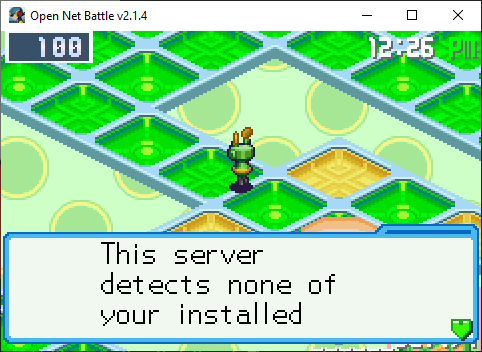
After this message, you'll be kicked.
If you have another mod that is allowed, you'll be prompted to switch.
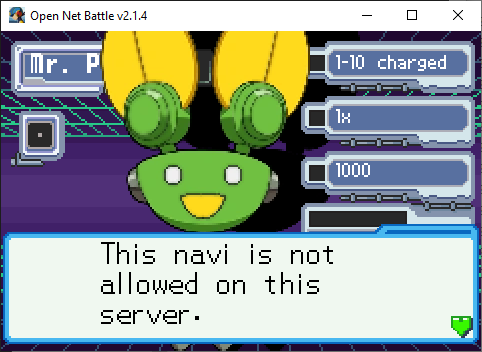
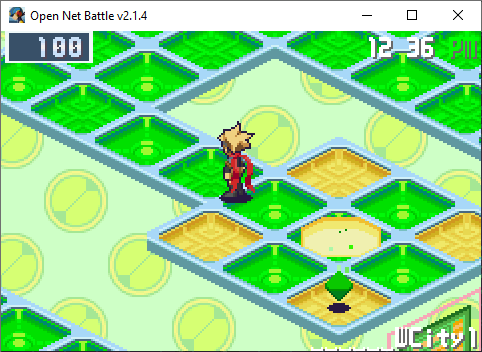
Once you've changed to one that is allowed, it'll stop bugging you.
Bad Card Mod
Any folder that has any number of chips that aren't allowed will appear greyed out.
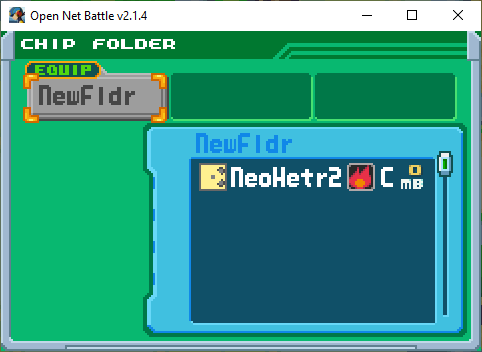
As of v2.1, you can't edit the folder or equip it, and you'll enter battle with no chips if you do have it equipped.
It's hard to tell what the disallowed chip is, which is another reason to have a separate ONB copy per whitelist. Then you don't have to worry about mixing allowed and disallowed chips.
Bad Block Mod
Any Block that is not on the whitelist will appeared darkened.
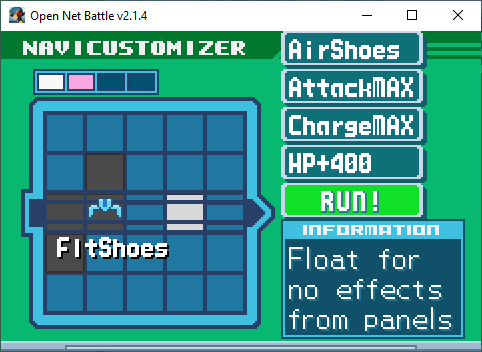
Here, my FloatShoes isn't whitelisted. It can still be here, but it won't activate in battle.
Downloading Allowed Mods
Usually you can find a download pack in the server's associated forum post
in the community Discord server. If you've made a copy of ONB just for these
mods, you can easily move them into your mods folder without worry of
replacing things you don't mean to, or merging with mods that aren't allowed.
Strict Restrictions
Whitelists are made by specifying a package ID and MD5 hash for a mod. This means that you need the specific version of a mod for it to be allowed. This is why you'd usually download a pack of mods at once instead of finding them anywhere else.
If the mod updated and you got a newer version, but the old version was the one that was whitelisted, ONB would say your newer version couldn't be used. Mod packs can preserve those older versions, to protect you from this until the pack is updated, and then you can replace the old mods.