The ONB Folder
This section shows off the files and the folder hierarchy in the ONB download folder. This includes where you'll find ONB's assets, if you want to modify them to suit your own tastes, and also the files that you'll want to save if you move to a new computer or download a new (or newer) copy of ONB.
Top Directory
Once ONB is downloaded and extracted, you'll see something like this:
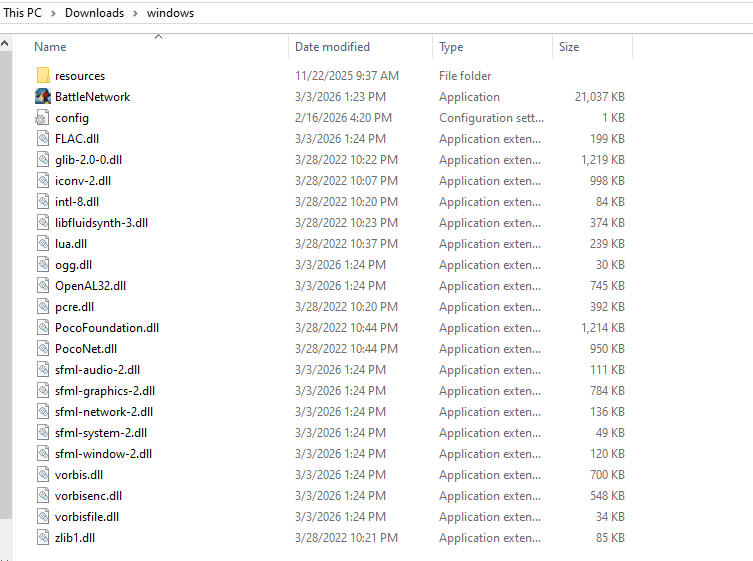
From here on and in other places on this website, this folder will be referred to as the "ONB folder".
The important things you see are:
BattleNetwork, which isBattleNetwork.exeif you have visible extensions turned on. This is ONB, and it's what you will open to play.config(orconfig.ini) if you have visible extensions turned on. This contains your controller configurations, among other things.resources, where you'll find all images and music used in ONB, as well as the place where you'll put your mods later.
The rest is a bunch of .dll files, which are necessary for ONB to run.
A few more files will appear here later, once you've played ONB. These will be covered later.
The resources Folder
If you open the resources folder, you'll see something like this:
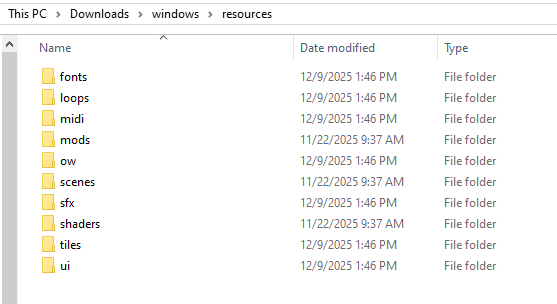
With the exception of the mods folder, all of these folders carry the assets
ONB uses. Things like the Tiles on the Field, menu widgets, and sound effects.
Some users have replaced some of these files with their own edits, but if you
do, be sure to watch out for when a new ONB version adds new assets or changes
existing ones.
The one you'll be interacting with most is the mods folder.
The mods Folder
The mods folder is at resources/mods. That means, starting from the
ONB folder, enter the resources folder, then the mods folder. From here
on, and in other places of the website, this will be referred to as the mods
folder.
Inside, you'll see something like this:
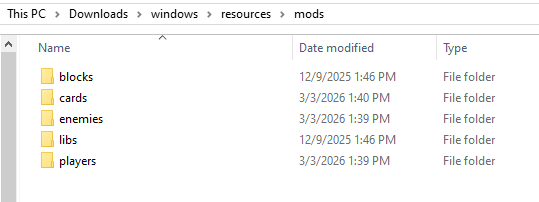
There's a folder for each type of mod. When you download a mod package (a ZIP file containing a single mod's files), you'll put them in their respective folder before launching ONB.
If you enter one of these folders after launching, you'll notice all the mod packages will have extracted themselves. ONB does this on launch, and you should let it.
Extracting Mods
Do not extract individual mod packages on your own, since ONB will do it in a special way. Do not delete the mod package ZIP files afterwards. If you want to delete a mod, you must delete the mod package ZIP as well as the extracted folder. If you delete only one, the other will come back when you next launch ONB.
homepage.tmx
If you look around a bit, you'll notice a homepage.tmx file in resources/ow/maps.
This is the Tiled map file for the homepage. You can edit this as you like, but you
should know that homepages are planned to be removed in v2.5.
This doesn't mean your edits will be lost. The reason for homepage removal in v2.5 is that servers are more powerful, and you can very easily run a server for yourself that includes this very map file. You can just move it over, then connect to your personal server (which, unlike the homepage, can be set up to allow your friends to visit, if you know what you're doing). Setting this up will be covered in another section once v2.5 releases.
Extra Files
After you've played ONB a bit, you'll notice that your ONB folder has a few new files in it. With all of them, your folder will look something like this:
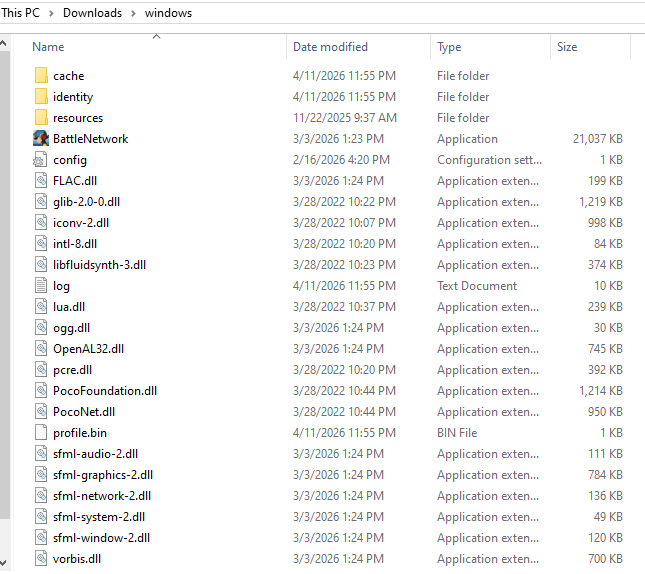
The new items are:
cachefolder, created when you joined a server or fought another player. Contains temporary files to make loading faster.identityfolder, created when you joined a server. Contains files corresponding to the servers you've joined, which has a secret key that lets a server identify you. Think of each file like a server username/password.profile.bin, created when you opened ONB. Contains all of your in-game folders of chips, and the Customizer setup you have for each Player mod.log.txt, created when you opened ONB. Contains all of the log lines ONB made. If someone asks you for your log, they mean this, not the black window you might have seen open with ONB (that's thecmd, which shows a subset of the logs for the current session. More on that in another section). It's always growing, so feel free to delete it from time to time.
Files to Save
If you ever need to upgrade to a newer ONB version, or you're moving to another computer, or any other reason, there are a few files you might want to bring to another ONB download, in order of importance:
- The
identityfolder, so servers you play on still know who you are - The
profile.binfile, so you don't lose your in-game chip folders or Customizer setups - The
config.inifile, so you don't lose your controls or set display name - Your
modsfolder, which has all your mods